Home Hardware, Part 1: My Control4 Revenge Arc
Fuck1 it, we’re doing consumer hardware for ourselves now and getting fucked by economies of scale, I guess.
This all started with me buying some Olimex Bluetooth proxies for Home Assistant. Then I started looking at the components and wondering if I could get better range. Now I’m designing boards, displays, and enclosures, and emailing manufacturers because their bezels are enormous.
I’ve ordered the first two boards: a Bluetooth sensor hub and a little maintenance display. I’ve been working on this in Codex, and this post is going to go through what it was good at, where it got stuck or got things wrong, and where I had to step in.
Why build this?
Honestly, Control4, Savant, and the rest of these fucking systems seem built for rich people who don’t know how to turn on their TV and would rather call someone. I want to program the fucking thing.
Control4 puts HomeKit integration in its paid Connect tier.2 Why am I paying a recurring fee to connect things I already bought? I don’t want to call a Control4 or Savant dealer, either, just because I want to change how something works.
Give me API access or give me death. Source works too. I’ll pick the hardware and connect it to Home Assistant, HomeKit, or my own code. If I want another sensor or some weird maintenance reminder, I can write that. It’s my fucking house.31
Back to the Bluetooth proxies
With a Bluetooth proxy, I can put the BLE radio near the sensors and get back to Home Assistant over the network.4 The machine running Home Assistant doesn’t have to be within range of every sensor.
When I mentioned my plans to Paul (paultag) over Slack, he pointed out that Olimex might be constrained by what the FCC allows, not just the components it picked. A radio supporting more transmit power doesn’t mean you can use all of it.5 I hadn’t thought about that.
These are boards for my house. I’m not selling them. Fuck it, I’ll build them and test them. I still have to measure the range; a bigger number on the radio’s datasheet isn’t enough. The antenna, receiver sensitivity, and environment matter too.6
From stickers to boards
Around the same time, I wanted to use NFC stickers to track maintenance. Replace a filter, tap the sticker with a phone, and reset its reminder. But the person replacing the filter isn’t always going to be me. It might be my dad when he’s in town, or the cleaners. I don’t want to add them to Home Assistant and get all that shit set up on their phones just so they can say they changed a filter. They don’t want to do that either. No one wants to do that. Why not just give them a button?
My first custom-board prompt in Codex started with “okay just hear me out”. I
wanted an ESPHome board with an e-paper display showing what needed replacing
and when it was last done, with MARK AS DONE and REORDER buttons. This
became the Maintenance Board. I considered removing NFC, but fuck it, it was
already there.7
The BLE Sensor Hub combines the proxy with temperature and humidity sensing. I’ll need proxies in lots of places, but not everywhere I want a temperature reading. Two nearby boards might only need one proxy enabled. I want one board I can configure for sensing, a proxy, or both. It’s designed for PoE/Ethernet or USB-C/Wi-Fi. I’m trying for a Unix-ish approach, with small devices doing specific jobs, although the maintenance board is pretty over-engineered.
Making it look good
Control4 and Savant hardware is also fugly. If I’m putting something on a wall, I want it to look like somebody gave a shit. Open source shouldn’t mean settling for ugly hardware either.
I wanted flush-mounted screens with thin borders and anodized-aluminum enclosures I could CNC at the office. The references were Apple for the displays, and Teenage Engineering and Work Louder for the exposed boards and physical controls. I described my ideas to ChatGPT for renders. One attempt got “This is preschool” as feedback. ChatGPT loves aesthetics with no function, so I had to insist that every knob actually do something.
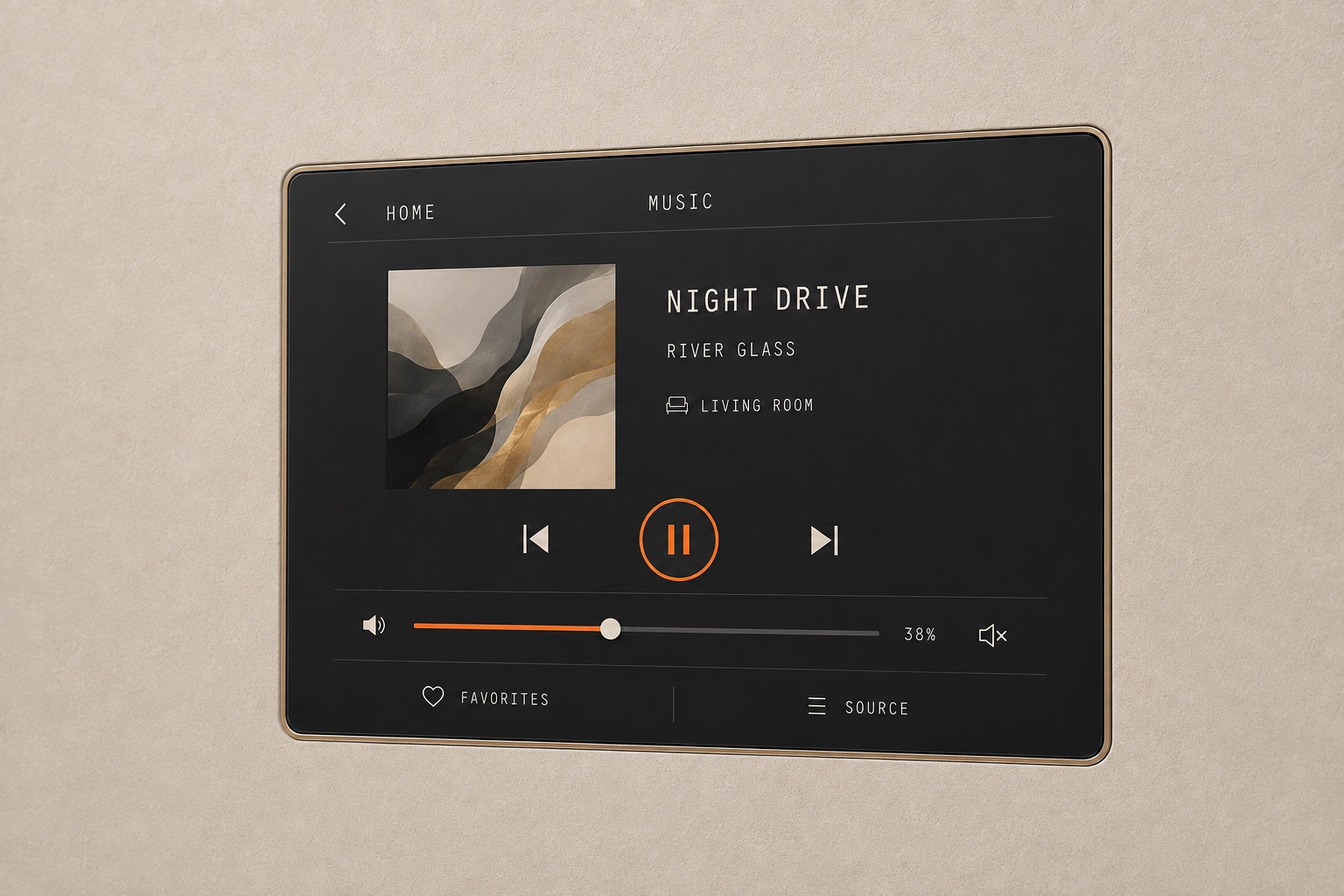
A ChatGPT render of the wall-panel design I described, not built hardware.
While working through goal.md, Codex decided it needed to email the display
manufacturers. I hadn’t asked it to do that. It could draft the emails, but
sending required my approval through
Switchboard. I saw the emails in the
morning, approved them, and the manufacturers in China replied almost
immediately. That’s pretty cool.
I told it to be more strategic in the follow-up emails and stop asking so many questions. Some were already answered by the datasheets. No one wants to reply to an email that’s a bunch of work for them. For the bezel, I wanted an answer to one thing: did they have a display with a thinner border? The reply was an offer to change the cover glass. That still left about 7 mm of LCD border for the driver chips and flex connections.
The wall panel and matching portable remote come after the Sensor Hub and Maintenance Board. I used Zoo’s KCL to model their enclosures. I work there, so obviously I’m going to use it.
What the agent is actually good at
People have been tweeting ridiculous PCB images for the last few days, since Astra came out. I already knew the models were good at datasheet review before Astra. The win isn’t one-shotting a PCB. It’s getting through the work an electrical engineer would do, including the parts you hate doing.
I use KiCad for schematics and PCB layout. I have a roughly three-page
goal.md for the agent, because “review the schematic” leaves a lot out. Read
the datasheet for each part I actually picked, then check how it’s wired.
What did I miss in there that could keep this from working? The goal also
goes through footprints, power-up, assembly, and how I’ll debug it. Passing
KiCad’s checks isn’t the end of the review.
I kept reminding Codex to check stock and lead times. I need to be able to buy the damn parts. For a substitute, I had it read the other datasheets: is the footprint the same, and what needs changing in the circuit or firmware? Then find every board where I used it and make the changes there too. This is the tedious shit it’s good at.
One of the review agents caught a grounded pad on the chip antenna that should have been left unconnected. It’s there as a mechanical anchor: solder it down, but don’t connect it electrically.8 Codex fixed that and added a check for it.
I caught the USB-C and Ethernet ports facing into the Sensor Hub while looking at its renders. Both were backwards, after the agent had reviewed pinouts, routing, and clearances. That’s fucking crazy. If it can’t even get the connectors facing the right way, what else is wrong? Codex checked the drawings again and fixed the positions and routing. It also added geometry tests, which fail on the old backwards placements.
The maintenance display had a similar problem. I asked how it connected, and Codex found the flex cable couldn’t reach its slot.9 I still need real hardware to check the fit. I’d like it to follow the whole cable path before telling me everything is good.
I’ve used this process on simpler boards before. These are a little more involved, so I’m about to find out how well that carries over.
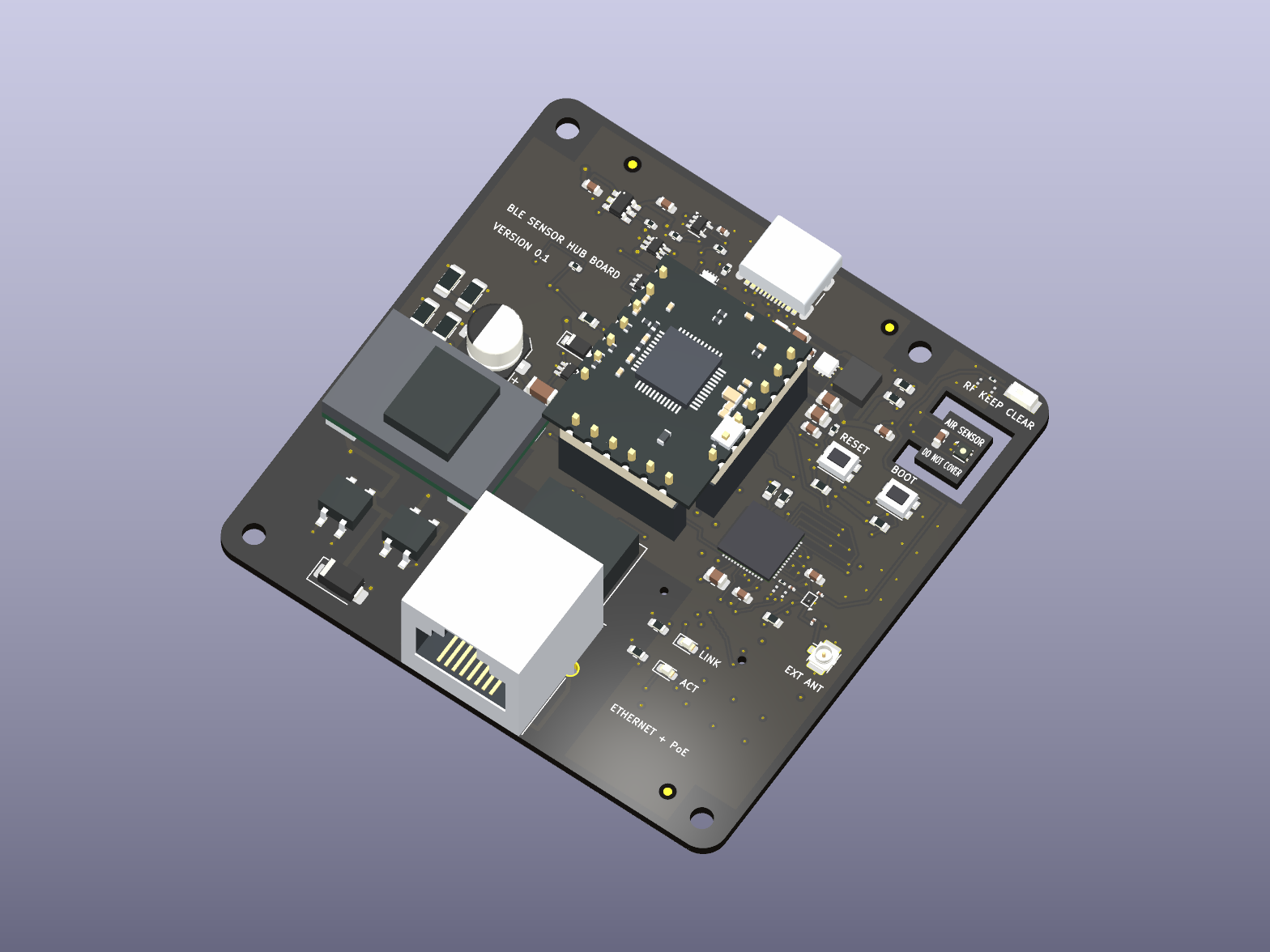
The Sensor Hub rendered from KiCad, before fabrication and bring-up.
Getting the boards made
I recently tweeted:
Unless you are actually fab-ing your PCB / CNC-ing and manufacturing your parts, your benchmarks are bullshit, your slop posts are bullshit, it’s all bullshit. Take it the last mile.
Obviously this applies to me too. I’ve ordered the first two boards, the BLE Sensor Hub and Maintenance Board, from JLCPCB. Once they arrive, I’ll bring them up and test them.
I still want matte-black boards, but JLCPCB came out cheapest for the initial debugging run. So fuck it, I’ll get the nice finish once I know they work. I don’t expect the first revision to be perfect. I want to be able to probe the power rails, get into the bootloader, reset the board, recover the firmware, and get a soldering iron onto a part that needs rework. If it doesn’t boot, I need a way to find out why.
Once I’ve verified both boards work, I’ll open-source the repo so you can follow along with the next ones. Hopefully that happens by the second post. If I’m still reworking things, then the second post will be about that instead.
I wanted to make sure you all knew I wrote this, not an LLM, so there’s a lot of cursing.
[return]You can make your own automations in Control4. Connect is optional on X4, so local app access doesn’t require it. HomeKit and remote access still do. Savant also lets you make scenes, but the system is dealer-configured, with upgrades and some features in Essentials.
[return]I’m not trying to kill Control4 or start a consumer-hardware company. I just want better hardware. Once I’ve verified the boards work, I’ll open-source the designs so you can make your own. You get to do your own tech support, too. I’m not doing fucking tech support for anyone. If you’re my friend and I know you won’t make me do tech support, maybe I’ll give you one of the extra assembled boards. That’s a very short list. Those people know who they are.
[return]ESPHome’s Bluetooth proxy documentation. These proxies support BLE, not Bluetooth Classic.
[return]I can’t just transmit whatever I want because it’s my house. The FCC does have a rule for home-built devices, but it still says to use good engineering to meet the technical requirements.
[return]The Bluetooth SIG goes through what affects range. The FCC rules cover power, antennas, and emissions. They don’t say how many feet my Bluetooth can reach.
[return]To recap, I started with NFC stickers and considered removing NFC after designing an entire board to replace the stickers.
[return]Johanson 2450AT18A0100001E, revision 4, terminal configuration and mounting considerations. Pin 1 is the feed; pin 2 is NC. Correcting this connection does not establish RF performance, which still needs tuning and measurement on the assembled board.
[return]- Length matters. [return]